DevUnit Lab: A Bilingual Studio Website on Nuxt 4
our own studio site, in production since 29 September 2026
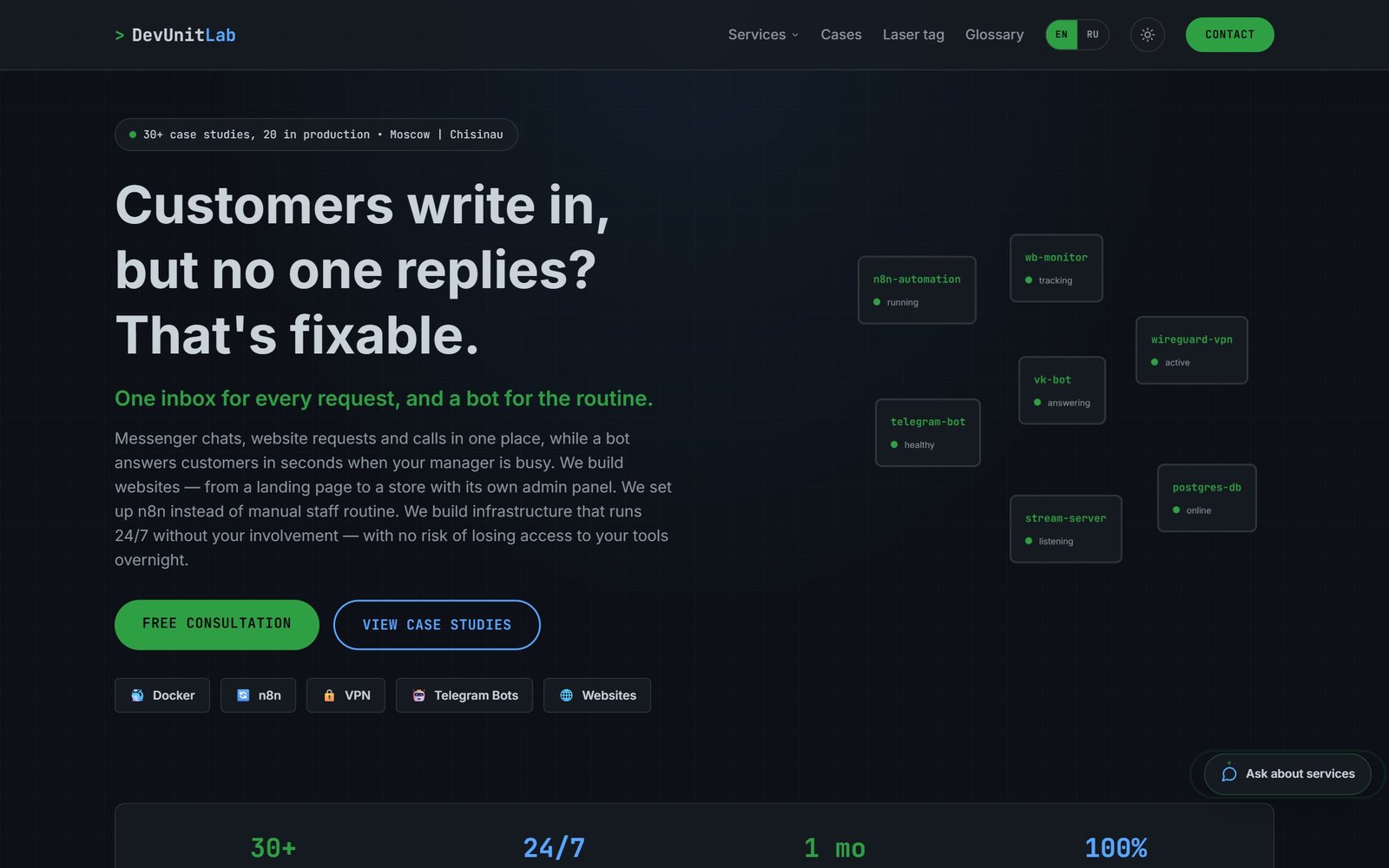
Our own studio website on Nuxt 4 and Nuxt Content 3: content in markdown with no database, Russian and English versions, JSON-LD markup, a 52-term IT glossary, a case catalogue and a brief form.
The task
The previous studio site was one long page: service areas and cases had no URLs of their own, and therefore no search queries of their own. The studio needed a site where every service area has its own page, every case has its own URL, and there is an English version and a glossary for clients who are far from IT.
Additional conditions:
- content is edited as text files in git, with no admin panel and no database;
- clients under NDA are anonymised, while our own products are named;
- price lists switch on with a single flag once they are written;
- the site opens fast on a phone from an ad link.
The solution
A multi-page site on Nuxt 4 and Nuxt Content 3 with server-side rendering. Nuxt Content is a module that turns markdown and YAML files into site pages and validates their structure against a schema, so a typo in a field never reaches a visitor.
What was implemented:
- Home page: headline, key figures, service areas, featured cases, work stages, the stack by group, common questions and answers, and a brief form.
- A page for each of the five service areas: lead, stack, its own questions and answers, and the area's cases. The case list is built from the
directionfield, with no hand-made lists. - A case catalogue with a filter in the URL; a case page shows the status, an NDA or «own product» label, result tiles, the stack and related cases.
- Russian and English versions with language detection and a switcher.
- A glossary of 52 IT terms in each language; badges on technologies link to it with a hint.
- A chat widget and a brief form on the home page.
- Light and dark themes, floating blocks, a cursor glow, blocks revealing on scroll and a bottom navigation bar on phones.
- Yandex Metrica with goals and a cookie notice; both switch on only when a counter number is set.
How it works
Content in markdown instead of a database
Cases, service areas, the glossary and shared data live in the content/ folder as markdown, YAML and JSON. The field schema is described with Zod and checked at startup: a case must have a subtitle, an emoji and a direction, and the status is chosen from a list. The English version lives in content/en/ under the same file names and with the same schema.
Nuxt i18n and hreflang for two languages
hreflang is a hint to a search engine that a page has a version in another language. Russian has no prefix and English uses /en. The @nuxtjs/i18n module picks the language from the browser, remembers the choice and puts lang and hreflang into every page head. Russian and English texts are stored in separate content collections.
Sitemap and robots.txt as server routes
sitemap.xml and robots.txt are built in code from the content collections, so a new case gets into the sitemap by itself, in both language versions. One environment variable switches a staging site to «do not index»: it adds meta robots noindex and a disallow rule in robots.txt.
JSON-LD structured data for search and AI answers
JSON-LD is data about a page in a format robots read: who we are, which questions we answer, what a term means. The home page carries Organization and WebSite, question-and-answer blocks carry FAQPage, and the glossary carries DefinedTermSet.
Captcha-free brief anti-spam
The brief goes to the /api/lead server route. It drops requests with a filled hidden field, requests sent less than four seconds after the form appeared, and texts with three or more links, and it rejects a fourth request within 10 minutes from one address. The bot gets «ok» in reply, so it is not told what failed. The per-address counter is kept in process memory and resets when the container restarts.
One container on the web server
The image is built locally, because the web server does not have enough memory to build Nuxt, and is uploaded ready-made with docker save. The container does not publish a port: only the front nginx sees it, through a dedicated Docker network. The container's time zone is set to Europe/Moscow and its memory is limited to 512 MB.
Results
- Since 29 September 2026 the site has run on the main domain, and the old staging host redirects to it.
- Every service area and every case has its own URL, and every page has its own title, description and markup.
- The site runs without a database and an admin: content changes go through git.
- A glossary of 52 terms is available in Russian and English.
- The brief is protected from bots without a captcha and without extra steps for the visitor.
Technologies and why
- Nuxt 4, Vue 3, TypeScript — server-side rendering, so search engines see ready text.
- Nuxt Content 3 — content in markdown and YAML, structure checked against a Zod schema, queries over collections.
- @nuxtjs/i18n — Russian and English, language detection, hreflang.
- Tailwind CSS 4 — layout and our own design tokens in one place.
- Docker — one container per web server, with the Europe/Moscow time zone.
- Yandex Metrica — goals for contact clicks, the brief and the chat; connected only when a counter number is set, with a cookie notice next to it.
Status
Version 1.1.0 of 29 September 2026, in production at devunit-lab.ru. Still open: not all price lists are written, so the «Cost» block is hidden in the sections; cases have no real screenshots, only automatic covers. The repository has no automated tests.
The previous version
The previous site was a set of static pages in plain HTML, CSS and JavaScript with Tailwind CSS 3 for styles. It included a studio page in Russian and English with a brief, a chat and a glossary, an English-language site for a foreign audience, and a landing page called «Дверной ГОСТ» for an interior-door installer. History was kept by date from 30 July 2026, with no version numbers. The studio site in Russian and English has been replaced by the Nuxt version; the English-language site and the landing page are described in the repository as static.
Questions about this project
Can a studio website be built without WordPress and without a database?
How do you build a bilingual site with correct URLs for search engines?
What SEO markup does the studio site use?
Why does the site need an IT glossary?
How does a request arrive from the site, and is the form protected from spam?
What did the studio site look like before Nuxt?
More in this area
Online Shirt Store on Nuxt 4 with an Owner Admin Panel
a shirt shop in Cheboksary: the owner manages products, prices and orders alone
UNLOCK: Interactive Greeting Cards and Advent Calendars
our own studio service: a card behind a password link, managed from Telegram
WordPress Showcase Site with Ordering via VKontakte
for the essential-oils brand «Дыхание Поволжья», built for billboard mobile traffic
Need something similar?
Tell us about the task — we'll show how we solved it and estimate the scope.