Online Shirt Store on Nuxt 4 with an Owner Admin Panel
a shirt shop in Cheboksary: the owner manages products, prices and orders alone
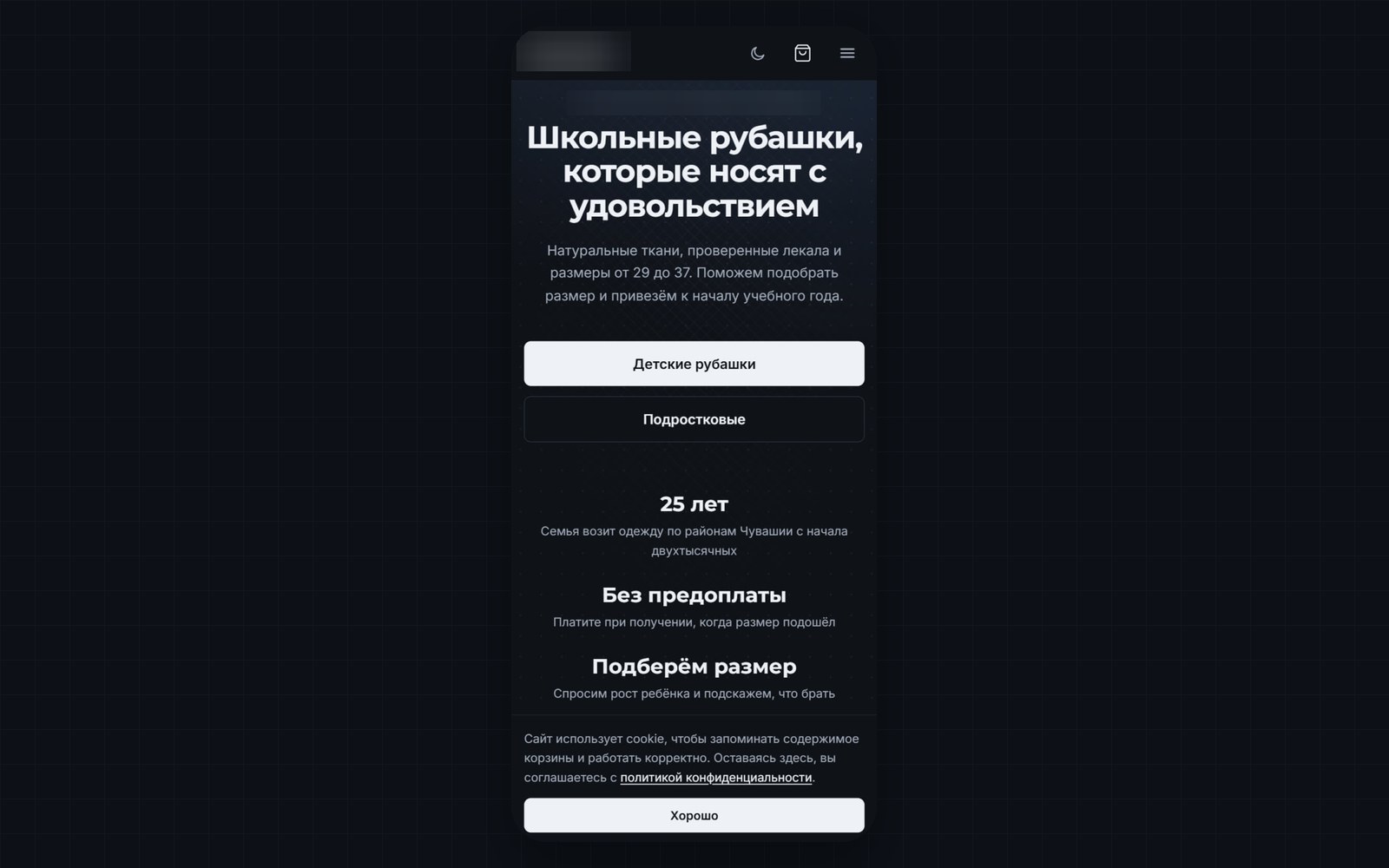
An online store for school and everyday shirts in Cheboksary on Nuxt 4 and FastAPI: a catalogue with colours and stock by size, a cart, wholesale prices, an admin panel and order alerts in Telegram.
The task
A shop selling school and everyday shirts in Cheboksary sold «by phone and chat» and delivered around the city and the districts of Chuvashia. The client needed a full online store that the owner runs alone: adds products and photos, changes prices and sees orders without contacting a developer or understanding the technical side.
The conditions:
- the site is found in search for queries like «buy school shirts Cheboksary»;
- the buyer chooses a size and colour instead of guessing in a chat;
- wholesale purchases are calculated automatically;
- the owner learns about a new order at once, in a messenger.
The solution
A Nuxt 4 storefront and a FastAPI API with MySQL 8, plus an admin panel for the owner. The admin panel is a closed section of the site where the owner edits products, prices, photos and texts and views orders.
What was implemented:
- A catalogue with «kids'» and «teens'» sections, and a product card with colour options, a size chart and several photos.
- Size tables for kids and teens, and a shirt measuring diagram with labels and an explanation.
- A cart: add, change quantity, remove, total. The contents are stored in the browser and survive a page reload.
- Checkout for several products at once, with prices calculated by the server.
- Wholesale: the quantity and discount are set in the panel, and a product is marked as taking part in its own card.
- The admin panel: products, prices, photos, «hit» and «new» labels, removal from the storefront, and an order list with status changes.
- A «Site content» section: contacts and legal details, the schedule of market trading, the story of the shop, wholesale terms, three selling points on the home page, FAQ and page texts.
- Light and dark themes with a switch, and a custom 404 page.
- A bot for access requests to order notifications: a new person writes to the bot and the owner approves the request with a button in the chat.
How it works
Nuxt server-side rendering for «buy school shirts» searches
Server-side rendering (SSR) means a page is assembled on the server and delivered as ready HTML, not as an empty shell that JavaScript fills in. So a search robot sees the products at once. For search we did the following: every page has its own title and description, Product markup with price, availability and photos, ClothingStore markup with the pickup point coordinates, a canonical URL, a robots.txt that closes the admin panel, and a sitemap built on the fly from visible pages and products.
Stock by size and colour in the product card
A product has a list of colours, and each colour has its own list of sizes with stock. On the product page the buyer picks a colour by a swatch and a size among those in stock. The choice goes into the cart, the order, the admin panel and the Telegram notification. A size with no stock is not shown on the storefront.
Phone photos: rotation by the camera tag and webp
The owner uploads an ordinary phone snapshot. A phone records the frame's orientation in a camera tag instead of rotating the pixels, and without reading the tag a photo lies on its side. The server reads the tag, rotates the frame, shrinks it and converts it to webp, a modern image format that weighs noticeably less than JPEG.
The server calculates prices, not the browser
The cart contents are stored in the browser, and a buyer can edit the browser's data however they like. So at checkout the server recalculates prices and the total from the database. It also applies the wholesale price.
Order alerts in Telegram and an access-request bot
An order is duplicated into the owner's Telegram chat. Access to notifications for other people is granted by a bot: a person writes to the bot, the request goes to the owner, and the owner approves or rejects it with a button in the chat. Approved people are added to the recipients with no changes to server settings. VKontakte alerts are written but not switched on: the community token is missing.
Admin panel protection
Passwords are stored as hashes and sign-in creates a session. The 15-minute lockout after 5 wrong passwords applies to a username regardless of the address the guessing comes from, because the general per-IP request limit on nginx does not stop guessing from many addresses. The panel is available on a separate subdomain with its own session cookie that does not overlap with the storefront. All write routes in the API check sign-in.
Deployment as one container stack
The store runs in four Docker containers: database, cache, API and storefront. The database schema is applied by Alembic migrations automatically when the API starts. The general entry nginx on the studio's web server publishes the site, with certificates issued by Let's Encrypt.
Results
- The owner adds products and changes prices, stock and texts alone, without a developer.
- The buyer picks a colour and size, and the order reaches the owner in Telegram with the chosen items.
- The wholesale price switches on automatically, and prices do not depend on what sits in the browser.
- Pages are served as ready HTML, each with its own title and description, and products carry structured markup.
- Uploading a photo from a phone needs no processing on the owner's side.
- The repository has no speed measurements and no automated tests, so we give no scores.
Technologies and why
- Nuxt 4, Vue 3, Tailwind CSS 4 — the storefront and the admin panel with server-side rendering and light and dark themes.
- FastAPI and SQLAlchemy 2 (async) — the REST API for the catalogue, orders and site settings.
- Alembic — database schema migrations, six revisions at the time of the document, applied at startup.
- MySQL 8 — products, variants, stock, orders, site settings.
- Redis 7 — cache and sessions.
- Docker Compose — database, cache, API and storefront as one stack; Python 3.13 and Node 24 inside the images.
- nginx and Let's Encrypt — publishing the storefront and the panel through the shared entry container of the web server.
- A Telegram bot — order notifications and requests for access to them.
Status
Version 1.17.1 of 26 September 2026, the store runs on the production server. Search indexing is closed while it is being finished. Before promotion the block must be removed, Yandex Metrica connected and the site verified in the webmaster tools, which needs verification codes from the client. Payment is on receipt only, and online payment is not connected: a QR-code payment or an online payment service is under discussion. The numbers in the size chart need to be checked with the owner. The repository has no automated tests and no description of backups. Other client details are not disclosed.
Questions about this project
How do you move from selling by phone and chat to an online store?
How do you upload a product photo from a phone so it does not lie on its side?
How do you track stock by size and colour?
How do wholesale prices work in the online store?
How does an online store get found for «buy school shirts in Cheboksary»?
How is the store's admin panel protected?
More in this area
UNLOCK: Interactive Greeting Cards and Advent Calendars
our own studio service: a card behind a password link, managed from Telegram
DevUnit Lab: A Bilingual Studio Website on Nuxt 4
our own studio site, in production since 29 September 2026
WordPress Showcase Site with Ordering via VKontakte
for the essential-oils brand «Дыхание Поволжья», built for billboard mobile traffic
Need something similar?
Tell us about the task — we'll show how we solved it and estimate the scope.